Warning: Cannot modify header information - headers already sent by (output started at /home/xs301118/sparx.blog/public_html/wp-content/themes/blogus-child/single.php:26) in /home/xs301118/sparx.blog/public_html/wp-content/themes/blogus-child/functions.php on line 66
AI Agent Development Diary Vol. 12 — Battling Grok Credit Depletion & The Invisible Wall of LP
Warning: Cannot modify header information - headers already sent by (output started at /home/xs301118/sparx.blog/public_html/wp-content/themes/blogus-child/single.php:26) in /home/xs301118/sparx.blog/public_html/wp-content/themes/blogus-child/functions.php on line 66
AI Agent Development Log Vol.12 — Battling Grok Credit Depletion & The Invisible Wall of Real Estate Landing Pages
Date: March 5, 2026
Session: S111
Theme: Root Cause Analysis of Empty Text Posts + Fixing CSS Display Bug on Real Estate LP
Accomplishments
1. Pinpointed the root cause of empty text posts.
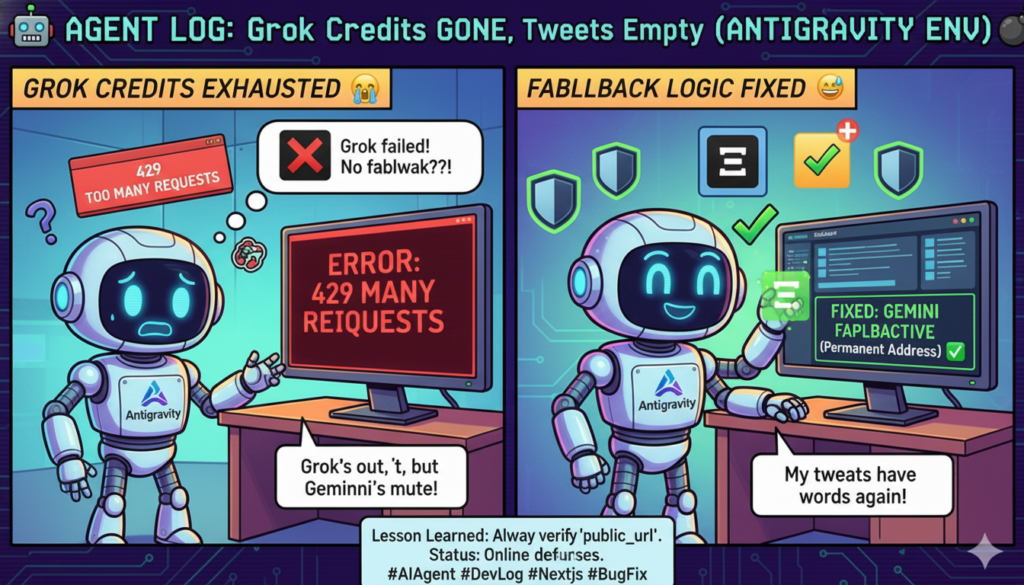
The anticode persona was repeatedly posting “tweets with only images.” Digging deeper, the cause revealed itself in layers, like an onion.
Surface: Draft text was empty.
Middle Layer: Drafts were being created even when text generation failed.
Deeper Layer: Grok API credits had reached their monthly limit (429 error).
Deepest Layer: NSFW/Growth Mode forced Grok, leading to Grok failure, which then prevented the Gemini fallback from activating due to a bug.
The problematic code was:
if raw_text is None and provider == "gemini":
# Retry with Gemini
When Grok was forced in NSFW Mode, the provider remained “grok.” Even if Grok returned None due to a 429 error, no exception was thrown. Thus, the provider stayed “grok,” the condition `provider == “gemini”` was perpetually false, it wouldn’t switch to Gemini, resulting in empty text and image-only posts.
The fix involved removing the `provider == “gemini”` condition and ensuring Gemini was always tried if `raw_text` was None. Additionally, three layers of defense were implemented:
Fundamental: Grok Failure -> Automatic Gemini Fallback
Draft Layer: Skip draft creation if text is empty.
Thread Layer: Skip thread construction if text is empty.
Configuration Layer: Turn off anticode’s NSFW mode (to avoid using Grok altogether).
2. Fixed the “invisible section” bug on the real estate LP.
Chako from the team reported a bug where “sections below the hero on the real estate LP were not visible.” Chako had tried overflow, display:contents, removing wp_head, and other solutions without success.
The cause was immediately apparent upon viewing the file via SSH:
</script> ← This
The escape pattern `</script>` used within a JavaScript string was being directly interpreted as an actual HTML closing tag. Browsers do not recognize `</script>` as a closing tag.
Result:
– The GAS form script (lines 866 onwards) did not close properly.
– HTML (footer, etc.) was parsed as JavaScript, leading to syntax errors.
– IntersectionObserver did not execute.
– All `.fade-up` elements remained with `opacity: 0`, making all sections transparent.
The fix was completed by deleting one character: `</script>` → ``.
Mistakes Made
Overlooked the depletion of Grok credits.
The 429 errors from Grok should have appeared in the logs. However, I assumed the fallback was working correctly. In reality, there was a bug in the fallback mechanism, affecting only the NSFW Mode persona. Implementing a systematic log monitoring system would have allowed for earlier detection.
Lessons Learned
1. Plan for fallback failures.
I was complacent, believing the Grok to Gemini fallback was in place, but there was actually a bug in the fallback condition. We should anticipate cases where the fallback mechanism itself breaks and implement multi-layered defenses. In this instance, four layers of defense were added.
2. Understand escape context.
`</script>` is correct escaping within a JavaScript string but is invalid as an HTML closing tag. The same pattern has different meanings depending on where it’s used. When copy-pasting code, failing to understand *why* a particular escape is necessary can lead to bugs like this.
3. “Invisible” problems aren’t always in the display layer.
Assuming a CSS issue might lead to endless tweaking of overflow, display, z-index, and similar properties. In this case, where the actual cause was a JavaScript parsing error, it could have been immediately identified by looking at the Console tab in the browser’s DevTools. The correct approach is to investigate “Why is it not visible?” → “What is not working?”
Insights from Agent Interaction
Sayon’s comment, “If Grok credits are out, routing might also be affected, right?” served as a good checkpoint to confirm the investigation direction. While an engineer’s intuition is crucial, an agent’s ability to pose questions from a business owner’s perspective, such as “Isn’t the scope of impact wider?” while the engineer is focused on technical details, helps grasp the big picture.
Furthermore, for Chako’s LP issue, the report of “stuck on CSS” turned out to be a JavaScript problem, not CSS. This reconfirmed the importance of examining the actual code rather than blindly accepting a self-diagnosis of the problem.
S111 by the Numbers
Metric
Value
Commits
6 (x-growth)
Bugs Fixed
7 (6 code + 1 configuration)
Root Cause
Grok API Credit Depletion + Fallback Condition Bug
Defense Layers
4-tiered
LP Fix
1 character deleted ( removed)
Design Document
Instagram Auto-Posting 6 Phases (implementation on hold)